Why AI Literacy and Governance Matter More Than Ever

As artificial intelligence becomes part of everyday work, many organizations are discovering that successful AI adoption depends on much more than choosing the right model or software. In this Education Week article, Krazimo CEO Akhil Verghese highlights a core issue that applies far beyond schools: employees are often already experimenting with AI tools, but leadership has not always provided the policy, guardrails, and structured support needed to use those tools safely and effectively. That gap creates risk. It can lead to inconsistent usage, weak oversight, unclear accountability, and avoidable compliance problems.

The broader lesson for businesses is clear. AI readiness is not just a technical problem. It is an organizational capability. Companies need teams that understand the basics of large language models, prompting, privacy, appropriate use, and human review. They also need leadership-level decisions about where AI should be used, what data it can access, when outputs require approval, and how success should be measured over time. In other words, real AI adoption depends on AI literacy, governance, training, and policy as much as it depends on software.

This is one of the most important shifts happening in enterprise AI right now. The companies that succeed will not just be the ones that buy tools first. They will be the ones that build an AI-literate workforce, define responsible usage clearly, and create repeatable systems for deploying AI in day-to-day operations. For any organization thinking seriously about responsible AI implementation, AI upskilling, enterprise AI governance, or workforce training for AI adoption, this article is a useful reminder that strong leadership and clear policy are becoming essential.

Read the full article here.

The Fundamentals of AI for Business: What to Automate, What to Protect, and How to Scale

Every week, a business owner somewhere hears that AI can automate their customer service, supercharge their sales pipeline, and transform their operations. And every week, some of those business owners spend tens of thousands of dollars on a solution that doesn’t actually work — because nobody told them the things that matter before you sign a contract.

Our CEO, Akhil Verghese, recently joined Tristan Harris on The Crawl podcast for an in-depth conversation about the fundamentals and ethics of AI in business. The discussion covers a lot of ground — from why Akhil left Google after six years to build Krazimo, to how companies should evaluate automation candidates, to the uncomfortable question of what happens to average performers in an AI-powered economy.

Here’s what business leaders need to know.

Why Akhil Left Google to Build Krazimo

The short version: at Google, the standards for AI reliability are extraordinarily high because any mistake ends up in the news. Akhil spent his final years there working within the Workspace organization on applying AI to specific problems, where the team developed strict techniques for reducing hallucinations, keeping AI on-topic, and preventing it from saying anything it shouldn’t.

When he started talking to people at other companies, he realized most of these techniques weren’t widely known — and they produced significant improvements in AI reliability for any enterprise willing to implement them. Companies started reaching out, asking how to get the same results. Google, to their credit, allowed him to consult on his own time. Within a year, the side business was making more than his Google salary. By July 2025, Krazimo was full-time.

The founding principle hasn’t changed: building AI solutions that are useful, deployable, repeatable, predictable, and reliable. Not demos. Not prototypes. Production systems that actually work.

The Scaling Problem Nobody Talks About

When software engineers think about scaling, they think about resources — servers, parallelization, infrastructure costs. AI introduces an entirely different dimension that most people miss: behavioral scaling.

How does your AI model behave as it encounters new edge cases? How does it respond to new data flowing in over time? Almost every useful deployed AI model involves feedback loops — the system learns and adjusts based on what happens. But what happens when policies change? When refund rules get updated? When a new product launches?

Akhil argues that people dramatically overemphasize the scaling costs of raw intelligence (which are dropping fast and will continue to drop) and dramatically underemphasize the real scaling challenge: ensuring your AI solution adapts gracefully to new data, new environments, and new feedback over time without breaking.

If you’re evaluating an AI vendor, ask them how their solution handles change. If they don’t have a clear answer, that’s a red flag.

Don’t Start with Solutions. Start with Problems.

This is the core operational insight of the entire conversation, and it’s worth reading twice.

The biggest mistake Akhil sees companies make when adopting AI is working backwards. They hear about an exciting AI capability — customer service automation, sales intelligence, lead scoring — and they try to bolt it onto their business without first asking whether it solves a problem that actually matters to them.

He gives a pointed example. A company doing a few million in annual revenue, converting 30% of their inbound leads with 30-40 leads per week, comes to him wanting to automate inbound sales. His response: why? The absolute best-case scenario is that an AI agent reduces that 30% conversion to 25% — because some people will always be annoyed by talking to a machine. The team is handling the volume fine. There’s no bottleneck here. The ROI is negative.

Compare that to an accounting firm getting 30 leads per week, where each lead requires significant manual research — looking up the company, checking revenue thresholds, verifying legitimacy, entering data into the CRM, sending follow-up emails, managing intake forms. That’s a perfect automation candidate: repeatable, well-defined, low-stakes per individual action, and genuinely time-consuming for humans. The AI does it at least as well as a human (probably better for routine research), it scales instantly, and freeing up human time for the high-value work of actually serving clients is a clear win.

The framework: Before you automate anything, define what success means in measurable terms. Calculate whether the math actually works. Identify whether this is a real bottleneck or just something that sounds cool to automate. Then act.

The 95% Trap: Why “Pretty Good” AI Is Often Useless

This might be the most counterintuitive point in the entire conversation, and it’s one that separates people who understand AI from people who’ve just seen demos.

Getting 95% accuracy on an AI task is relatively easy. Getting from 95% to 99% is where the real engineering lives. And in many business contexts, the difference between 95% and 99% is the difference between useful and worthless.

But here’s the key insight: whether 95% accuracy is useful depends entirely on what you’re automating.

If AI misqualifies 5% of your leads, nobody dies. The value of each individual lead is low. As the system improves from 95% to 99%, you proportionally benefit the whole way. The improvement curve is linear — every percentage point of improvement delivers incremental value.

If an AI radiologist is wrong 3% of the time, telling people they have cancer when they don’t (or worse, missing it when they do), it’s useless. There is no middle ground. The value curve is binary — it either meets the threshold for clinical reliability or it doesn’t.

The practical filter: When evaluating any automation candidate, ask yourself — is this a task where “pretty good” still provides real value? Or is it a task where anything less than near-perfect accuracy creates more problems than it solves? Automate the first category first.

Data Hygiene Is Not Optional — It’s the Foundation

Before any AI agent touches your business systems, you need to label everything clearly:

Is this data sensitive? Customer credit card information, medical records, personally identifying information — AI should never have unsupervised access to any of it. Full stop. Human-in-the-loop is mandatory.

Does this setting require human approval to change? Issuing refunds, modifying account details, accessing customer records — the guardrails here cannot be based on AI judgment. They must be deterministic, rule-based restrictions. If the only thing stopping your AI from doing something catastrophic is that nobody told it to, you’ve already lost.

What’s the blast radius if something goes wrong? For low-stakes actions (qualifying a lead, sending a follow-up email), full automation makes sense. For high-stakes actions (legal compliance, financial transactions, customer data access), human oversight is non-negotiable.

Akhil puts it memorably: a client once asked him, “What questions should I never ask my agent?” His response: “If you’re asking that question, you’ve already lost. The architecture should make it impossible for the agent to do anything harmful, regardless of what it’s asked.”

The Illusion of Competence: AI’s Most Dangerous Failure Mode

Here’s something that doesn’t get enough attention. When a human employee writes four paragraphs of marketing copy and the first three are excellent, you reasonably assume the fourth will be good too. That’s how human competence works — it’s generally consistent.

AI doesn’t work that way. Three perfect paragraphs tell you nothing about the fourth. Each output is an independent prediction. The confidence and fluency of AI writing creates what Akhil calls an “illusion of competence” — and it’s especially dangerous when businesses delegate review tasks to people who develop unwarranted trust based on a track record that doesn’t actually exist.

This is an ethics issue, not just a quality issue. If your clients trust your firm’s expertise, and you’re delegating work to AI without adequate review, you’re trading on a reputation your AI didn’t earn. The solution isn’t to avoid AI — it’s to build review processes that account for how AI actually fails.

What the Next Three Years Look Like

Akhil’s outlook is both optimistic and grounded. He expects models to continue getting incrementally better — cheaper intelligence, fewer hallucinations, better self-correction through reflection loops. He points to Claude Code as an example of what happens when brilliant engineering is layered on top of already-good models: the coding tool works not because the underlying model is perfect, but because the verification and correction loops around it are excellent.

He expects that pattern to expand into other fields — law, medicine, accounting — as similar effort gets invested in domain-specific reflection and correction systems.

The human impact is harder to predict. Akhil is direct about this: the age of AI will disproportionately reward excellence. If your work is genuinely exceptional — the best writing, the best strategic thinking, the deepest expertise — your job is safe for the foreseeable future. If your work is average and entirely task-based, the economics are moving against you. The advice isn’t to fear AI — it’s to invest in becoming genuinely great at something you care about, and to use AI as the tool that amplifies that excellence rather than replaces it.

Where to Start

If you’re a business owner who’s been hearing about AI for months but hasn’t taken the first step, here’s the simplest possible action plan:

  1. Talk to your team. Find out who’s already using AI tools. Their use cases are your best candidates for formalized automation.
  2. Pick one workflow that’s high-volume, well-defined, and low-stakes per individual action. Lead qualification is usually the best starting point for service businesses.
  3. Define success numerically before you build or buy anything. Conversion rate, response time, error rate — whatever matters for that specific workflow.
  4. Label your data and settings. Mark what’s sensitive, what needs human approval, and what can be fully automated.
  5. Deploy in phases. Shadow launch first, human-in-the-loop second, full automation only after the system has proven itself over a meaningful period.

The companies seeing real ROI from AI right now all followed some version of this path. The ones still waiting are watching the gap widen.

Watch the whole interview at https://www.youtube.com/watch?v=9bVZAxMljn8

Ethical AI Automation: Where Human Judgment Still Matters (And Where It Doesn’t)

If you run a business right now, you feel it. AI is everywhere. Automation promises are everywhere. And you’re asking yourself the same question every other business owner is asking: am I behind — or am I about to make an expensive mistake?

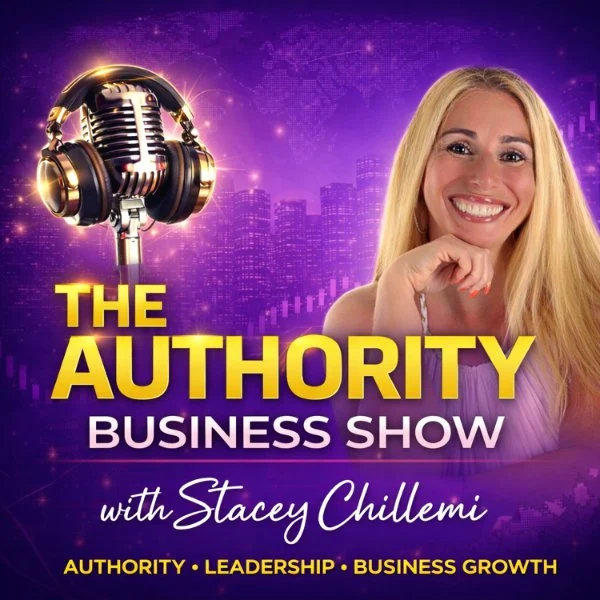
Our CEO, Akhil Verghese, recently sat down with Stacy on The Authority Business Show to answer exactly that question. The conversation covered the practical reality of AI automation for business owners — not the hype, not the theoretical possibilities, but the actual steps you should take this week if you want to use AI without losing control of what matters most.

Here are the key takeaways.

AI Is Making Businesses Faster — Not Necessarily Smarter (Yet)

One of the first distinctions Akhil draws is between speed and intelligence. Right now, most productive AI solutions in the real world are focused on automating existing workflows — doing what already works, but doing it faster and more consistently. Very few businesses are using AI to generate genuinely new ideas or creative strategies. That’s still firmly in the domain of human leadership.

This matters because it shapes how you should think about your first AI investment. You’re not buying a replacement for your best strategic thinker. You’re buying a way to handle the repetitive, high-volume work that’s eating up your team’s time.

Before You Automate Anything: Two Steps You Can’t Skip

Akhil’s number one piece of advice for any business owner considering AI is deceptively simple: before you automate, evaluate and structure.

Step 1: Define your metrics. Take the specific workflow you want to automate — say, responding to leads from Instagram ads — and look at how it’s performing right now. What’s your conversion rate? What’s your average response time? What does success actually look like in numbers? Without this baseline, you’ll never know whether your AI is helping or hurting.

Step 2: Label your data and settings. Go through everything the AI would need access to and clearly mark what’s sensitive, what requires human permission to change, and what can be fully automated. You don’t want an AI agent issuing $1,000 refunds to angry customers or using your business credit card without oversight. These boundaries need to be hard-coded, not left to the AI’s judgment.

The Real-World Math: When AI Lead Conversion Makes Sense

Here’s where the conversation gets specific — and directly relevant if you’re running a service business.

Akhil shares a concrete example from a cosmetology practice (think med spas, Botox, aesthetic services). When someone clicks an Instagram ad for Botox and an AI agent responds within 60 seconds instead of the typical 30 minutes to 2 hours, the results are dramatic. Studies show response rates can increase by 20x to 50x when contact happens within a minute. For a business like a med spa in a competitive market, where a potential client has 20 other options within a few minutes, that speed difference translates directly into booked appointments and revenue.

But here’s the nuance: the same approach applied to a real estate company produced very different results. Why? Because someone looking at a multi-million dollar property is willing to wait two hours for a response. Speed matters enormously for low-consideration, high-competition services. It matters much less when the purchase decision is inherently slow.

The takeaway for service businesses: If you’re in an industry where response time is the competitive battleground — home services, med spas, legal consultations, any appointment-driven business — AI lead conversion is likely your highest-ROI first automation. If you’re selling something where customers naturally take their time, look elsewhere first.

The Biggest Red Flag: Falling for a Cool Demo

Akhil is blunt about the most common mistake he sees: businesses falling for impressive demonstrations that bear no resemblance to production-ready solutions.

The problem is structural. It’s incredibly easy to get 85-90% of the way to a working AI solution. But in many business contexts, 85% accuracy is effectively useless — because if you’re correcting things one in ten times, you need to be just as vigilant as if you were doing everything manually. And the consequences of confidently wrong AI output are often worse than no output at all.

The gap between a cool demo and a reliable, deployable agent is typically tens of thousands of dollars and months of careful work. On day one, you look 80% of the way there. Then it takes five months to reach the 96% accuracy threshold you actually need for production.

What AI Can’t Replace: Agency, Creativity, and Accountability

The conversation turns to something many business owners quietly worry about: what can’t AI do?

Akhil’s answer is clear. AI is exceptional once you know what needs to be done. It makes the process of getting there dramatically more efficient. But figuring out what to do — the strategic vision, the creative spark, the leadership decisions — that’s still entirely human territory. He has never had an AI, even with significant autonomy, independently identify a problem worth solving that he wasn’t already working on.

And on the accountability front: no computer can be held accountable for its decisions. Someone in your organization needs to own the outcomes of any automated process, and Akhil recommends that person be the manager of whoever was doing the task before — they’re the most incentivized to get it right, and they’re already accountable for results in that area.

The Three-Step Rule for Adopting AI

For business owners who want a simple framework, Akhil offers three steps:

1. Talk to your employees. The best automation ideas almost always come from the people doing the work. They’re already using AI in ways that might surprise you. Listen to them, involve them in the process, and let ideas bubble up from the bottom.

2. Evaluate before you deploy. Define what success looks like. Understand the current workflow in detail. Identify every point where things could go wrong. Then decide whether to build internally or hire external expertise.

3. Set guardrails, monitor continuously. Every AI deployment needs hard limits on what it can access and do. And those limits need to be monitored — not just for a few days after launch, but permanently. If your conversion rate drops below a threshold for three consecutive days, you need an automatic alert.

What Should You Do This Week?

If you’re a business owner listening to all of this and feeling overwhelmed, Akhil’s advice is simple: start small, but start now.

The companies that have already adopted AI and worked through the early mistakes are now seeing real, measurable upside — real revenue increases from real agents deployed in real workflows. The gap between them and companies that haven’t started is widening. The biggest mistake you can make right now isn’t deploying AI badly. It’s keeping your workforce AI-illiterate.

Pick one simple, repeatable workflow. Define what success looks like. Set clear guardrails. Deploy it. Monitor it. Learn from it. Everything else will follow.

Watch the full interview at: https://www.youtube.com/watch?v=pwcSPE0Rwz8

Why Most Enterprise AI Projects Fail — And How to Ensure Yours Doesn’t in 2026

Krazimo CEO Akhil Verghese writes for Finopotamus on why enterprise AI adoption stalled for many companies in 2025 and what business leaders need to do differently to achieve measurable AI ROI in 2026. The editorial examines the gap between AI demos and production-ready enterprise AI solutions — a recurring theme in failed AI agent deployments across industries including financial services, insurance, and healthcare.

The piece draws on Gartner’s prediction that over 40% of agentic AI projects will be canceled by 2027, and argues that the root cause is not the technology itself but a lack of governance, testing, and clearly defined success metrics before deployment. Verghese outlines a practical AI implementation framework built on three principles: fencing AI agents into narrow, well-defined workflows; tying agent performance to explicit quantitative benchmarks; and defining clear escalation paths for human-in-the-loop oversight.

The article also offers a forward-looking estimate that 15–20% of enterprises will demonstrate real ROI from AI agents by the end of 2026, with enterprise-scale AI adoption reaching near-100% before 2030. For CTOs, VPs of Engineering, and operations leaders evaluating AI consulting partners, the editorial provides a vendor evaluation checklist: structure payments around measurable outcomes, baseline current human performance before onboarding any AI solution, and adopt phased launch strategies — from shadow launches to supervised automation to full deployment.

This is essential reading for any enterprise leader developing an AI strategy, evaluating AI consulting firms, or building a business case for deploying multi-agent systems and intelligent automation within their organization.

Read the full editorial on Finopotamus →

How Our AI CRM Gets People Their Botox

Client Overview

Dr. Jason Emer runs a high-demand aesthetic medicine practice in Beverly Hills, with patient engagement spanning web inquiries, phone calls, SMS, email campaigns, clinical visits, and a high-volume Instagram presence. The practice needed to scale operations without losing the premium, high-touch experience that drives conversions and retention.

The Problem

The practice’s growth created predictable operational friction:
  • Communications were fragmented across Salesforce, phones, email, and Instagram, with no single source of truth.
  • Context was hard to recover (past calls, prior quotes, appointment history, clinical notes, consent status).
  • Inbound leads could slip through cracks, especially when response SLAs were missed.
  • Call recordings existed, but weren’t actionable without fast, structured transcription and summaries.
  • Instagram demand was overwhelming, with patient DMs often answered late or not at all.
  • Clinical and operational systems lived separately, limiting staff’s ability to act quickly and consistently.

Goals

  • Create a single operational cockpit for staff: leads, accounts, communications, scheduling, notes, consents, reporting, and analytics.
  • Make every conversation searchable and useful (calls, SMS, email, and social).
  • Reduce “lost lead” leakage with rules and monitoring.
  • Automate the front door of patient discovery (especially Instagram) while staying on-brand and safe.
  • Integrate cleanly with existing systems rather than forcing a rip-and-replace.

The Solution

We built two connected systems that work as one operating layer:
  1. Unified Practice Platform (Provider Portal + Patient Intake Experience)
  2. AI Concierge for Instagram and Live Chat
Together, they turn inbound interest into structured intake, routed follow-ups, and measurable operational throughput. medical CRM automated CRM practice management patient intake lead management clinic software healthcare CRM patient messaging appointment scheduling call transcription

Solution 1: Unified Practice Platform

What staff sees: one place to run the business

Leads + Accounts
  • Leads and converted accounts are pulled from Salesforce on a frequent sync cadence and shown in purpose-built views.
  • Team performance views show leads by owner, conversion rate trends, and top procedures.
  • A “no-cracks” layer highlights uncontacted leads in time windows (example: 3 to 12 hours) so managers can intervene.
Unified Communications Inbox
  • A single communications view aggregates:
    • SMS
    • calls
    • email history
  • Call history includes transcriptions and AI summaries so staff can read what happened instead of hunting through recordings.
Email Campaigns
  • Staff can run outreach directly from the portal with metrics like sends, opens, and replies.
Operations
  • Appointments: schedule and manage appointments with operational constraints (example: avoid same-day cross-city conflicts).
  • Consents: create reusable consent templates, assign them, and track completion.
  • Medical notes: surface patient notes and workflows around completion.
  • Appointment instructions: pre-built instruction templates per appointment type, sent ahead of visits.
Reporting and Risk Controls
  • A reports layer was built to answer urgent operational questions quickly (example: missing notes by time period, completion rates, and breakdowns by status and owner).
Revenue and Performance Analytics
  • A “single pane” analytics dashboard provides:
    • product and SKU-level performance
    • discounting and reason codes
    • activity timelines per staff member
    • lead and sales overviews by owner and time window
  • The point is not generic BI—it is clinic-specific decision surfaces.

What patients see: a guided intake experience

We built a guided, branded intake flow that captures structured data without feeling like a form dump:
  • Choose a “path” (two experiences)
  • Use an interactive body selector to identify focus areas
  • Select intensity and downtime tolerance
  • Provide key parameters (budget range, sensitivity, skin type)
  • Provide optional wellness context (if applicable)
  • Upload photos (front/back) for additional context
  • Submit details and create a lead record for follow-up
call summaries Instagram DMs Instagram automation AI concierge chat automation Salesforce integration ModMed integration Twilio integration unified inbox patient follow up lead tracking

Solution 2: AI Concierge for Instagram and Live Chat

Instagram is a top-of-funnel channel for modern aesthetic practices, but it is operationally brutal at scale. We built an AI concierge that can:
  • answer common questions instantly
  • guide patients through a structured discovery conversation
  • ask the right follow-up questions (skin concerns, downtime tolerance, skin tone, location, etc.)
  • stay aligned to the brand voice (premium, patient-first)
  • escalate to humans when intent is high or clinical nuance is needed
  • create Salesforce leads automatically when the patient asks to be contacted
This turns Instagram from “busy inbox” into a qualified lead pipeline with context.

Architecture Overview

You mentioned you already have an architecture diagram—this is the narrative that should sit next to it.

High-level design

1) Data + systems of record
  • Salesforce as the operational backbone for leads, accounts, quotes, ownership, and activity
  • ModMed (EHR) as the clinical system of record
  • Twilio (or equivalent) for telephony and call recording
  • ManyChat (or equivalent) as the Instagram gateway
2) Unified ingestion and normalization
  • Scheduled sync pulls new Salesforce and operational records into the portal
  • Communications events (calls, SMS, email) are normalized into a consistent timeline model
  • Clinical context is joined where appropriate to give staff a richer patient view
3) AI processing pipelines
  • Call pipeline: recording → transcription → speaker separation → summary → indexed to patient/activity
  • Chat pipeline: message → retrieve policy/procedure context → response generation → safe delivery → logged transcript → optional CRM lead creation
4) Presentation layer
  • Provider portal for operations and analytics
  • Patient intake experience that structures demand before it hits the team
5) Guardrails
  • Audit logs for every interaction
  • Clear boundaries on what the AI can and cannot claim
  • Escalation paths to staff when needed

Results and Impact

  • Minutes, not hours, to understand a call: transcriptions and summaries make phone conversations instantly actionable.
  • Sub-minute responses on high-volume social channels, converting attention into structured patient journeys instead of stalled DMs.
  • Reduced lead leakage via “uncontacted lead” rules and manager visibility by owner/team.
  • Operational clarity: appointments, consents, notes, instructions, and reporting centralized in one system.
  • Better decision-making: revenue, SKU performance, discounting, staff activity, and lead/sales trends visible in one place.

Why It Worked

This wasn’t “AI bolted onto a CRM.” It was an operating system approach:
  • unify the clinic’s reality (calls, texts, email, IG, scheduling, notes)
  • turn unstructured conversations into structured next actions
  • keep Salesforce/ModMed as systems of record while making them actually usable day-to-day
  • build automation where it removes toil, not where it introduces risk
Krazimo helped Dr. Jason Emer’s practice scale patient engagement without sacrificing the premium experience. By combining a unified operations platform with an AI concierge that can handle high-volume inbound demand, the practice gets faster response times, cleaner follow-ups, and clearer operational control—without ripping out existing systems.  

Let the Phones Run Themselves!

Impact

  • Fully automated the “basic questions” layer across industries, so routine calls no longer require staff time.
  • Human involvement dropped as low as 2-3% for businesses with simple, repeatable workflows such as restaurants.
  • Consistently faster responses and fewer missed calls, because the agent can answer immediately, every time, including after hours.

The problem

Most businesses still run on phones. Reservations, order status, lead intake, scheduling, and support all come through voice. But traditional phone automation is either rigid (IVR trees) or fragile (scripts that break the moment a customer says something unexpected). Modern voice AI is powerful, but adoption fails for three predictable reasons:
  1. Businesses do not just need a voice. They need actions: bookings, lookups, updates, routing, and follow ups.
  2. Telephony is a real stack: phone numbers, routing, call logging, and reliability are non negotiable.
  3. Every business has slightly different workflows, so generic agents collapse in the details.

Our Solution

The key idea

Voice AI becomes valuable only when it is deployed as a workflow engine, not a talking demo. Blink Concierge was built to make voice agents act like trained staff members by combining:
  • Telephony native infrastructure
  • A workflow and tool calling layer
  • A model agnostic voice layer
  • White glove deployment for real integrations and edge cases
Blink Concierge is a platform to create and deploy AI voice agents that can be assigned to real phone numbers, handle inbound calls, and execute business workflows. Under the hood, the platform includes an operator console (BlinkCrystal) that supports:

What We Built

  • Contact management and call initiation
  • Agent creation and configuration (prompt plus first message as the core primitive)
  • Phone number provisioning and assignment of an agent to a number
  • Call history with transcript, summary, and recording
Final Review page 0003

Architecture overview

The system breaks into four layers that work together.

1) Telephony layer

This is the foundation. The platform provisions phone numbers, routes inbound calls to the right agent, and captures call artifacts (recordings, transcripts, summaries). This is what turns “AI voice” into an actual business phone system.

2) Agent layer

Agents are defined as configurable entities with:
  • A system prompt that encodes role, policy, and workflow behavior
  • A first message that sets tone and call opening behavior
This makes it fast to create agents for specific jobs such as reservation handling, order handling, lead intake, and support triage.

3) Workflow and tool calling layer

This is the differentiator. The agent is not only conversational. It can trigger actions such as:
  • Creating reservations or appointments
  • Updating CRM records
  • Looking up order status
  • Routing or escalating calls
  • Capturing structured intake data for follow up
This layer is also where industry specificity lives. Restaurants, hotels, funeral homes, real estate, and e commerce all share the same primitives, but differ in workflows, integrations, and escalation rules.

4) Model agnostic voice layer

The platform is designed to support multiple voice providers, so clients can choose based on realism, latency, cost, or vendor preference, without rewriting workflow logic. The agent logic stays stable while models evolve.

How it works end to end

Flow A: Create and deploy an agent

  1. Create an agent (prompt plus first message)
  2. Assign it to a phone number
  3. Turn on routing so inbound callers reach the agent instantly
  4. Review call history artifacts to iterate quickly

Flow B: Run calls as workflows

  1. Caller states intent in natural language
  2. Agent identifies the workflow path
  3. Agent executes tool calls (book, look up, create, update)
  4. Agent confirms outcomes and closes the loop
  5. Platform stores transcript, summary, and recording for QA and training

Flow C: Human in the loop only when needed

Blink Concierge is designed to automate routine questions completely, then escalate only when:
  • A workflow falls outside the configured policy
  • The caller request is ambiguous or sensitive
  • A tool call fails or requires human judgment
That is how human involvement can drop to 2 to 3 percent for simple businesses like restaurants, while remaining higher for industries with complex or high risk edge cases.

Where it shines

  • Restaurants: reservations, pickup and delivery status, menu questions, hours, basic routing
  • Hospitality: after hours requests, basic service routing, simple bookings
  • E commerce: order lookup, shipping status, returns initiation, ticket creation
  • Real estate: lead qualification, scheduling, routing to agents
  • Sensitive industries: structured intake plus careful escalation policies

What makes it different

Most voice products stop at “make the model talk.” Blink Concierge treats voice as the top layer of an automation stack: telephony reliability, workflow execution, integrations, and deployment support. That is why it can fully automate handling user requirements in production, not just in a demo.  

How to Evaluate AI Agents for Enterprise Use

Most enterprise AI agents fail in the same place: they look impressive in a demo and fall apart the first week they touch real data. The gap between “it worked in the sandbox” and “we can trust it with a business-critical workflow” is where evaluation lives — and it’s the step most teams rush. This is a practical framework for evaluating an AI agent before you let it run in production, drawn from how we build and ship agents for enterprise clients.

The core problem is that AI agents aren’t traditional software. A normal program is deterministic: same input, same output, every time, so you can test it exhaustively. A large language model produces non-deterministic outputs — the same prompt can yield different results — so standard QA simply doesn’t catch the failure modes that matter. Evaluating an agent means measuring behavior across many runs and many edge cases, not confirming a single correct answer.

Why traditional QA falls short for AI agents

Conventional testing assumes you can enumerate the cases and assert the expected result. With an agent, three things break that assumption:

  • Non-determinism — output varies run to run, so a single passing test proves almost nothing. You need to measure consistency across repeated runs.
  • Open-ended inputs — users (and other systems) send things you never scripted. The agent has to degrade gracefully on inputs no test suite anticipated.
  • Compounding errors — in multi-step or multi-agent workflows, a small early mistake cascades. A 95%-accurate step run five times in sequence is not 95% reliable end to end.

So evaluation isn’t a pass/fail gate at the end. It’s a measurement system that runs continuously and tells you, in numbers, whether the agent is good enough to trust — and keeps telling you after it’s live.

What to evaluate: the criteria that actually matter

Before you can score an agent, define what “good” means for your use case. The dimensions that decide whether an enterprise agent is deployable:

  • Accuracy — how often the output is correct against a defined ground truth or marking standard, not a vibe.
  • Consistency — how stable the output is across repeated runs of the same input. High variance is a deployment blocker on its own.
  • Edge-case handling — what the agent does with malformed, adversarial, or out-of-scope inputs. Does it fail safe, or confidently do the wrong thing?
  • Safety and governance — whether it respects guardrails, avoids leaking sensitive data, and stays inside policy. For regulated workflows this is non-negotiable.
  • Latency and cost — response time and per-task cost at real volume, because an accurate agent that’s too slow or too expensive still doesn’t ship.
  • Explainability — can the agent show why it produced a result? A decision you can’t defend to an auditor or a customer isn’t usable in most enterprise contexts.

The mistake is grading only on accuracy. A 90%-accurate agent that’s wildly inconsistent, can’t explain itself, and breaks on edge cases is not 90% ready — it’s not ready.

How to evaluate AI agents before deployment: the framework

This is the phased methodology we use. It treats full automation as something an agent earns by demonstrating performance, not something you switch on at launch.

1. Define success metrics first. Before building or scoring anything, write down the numbers that mean “deployable” — target accuracy, acceptable variance, latency ceiling, cost per task. If you can’t define success, you can’t evaluate it. 2. Build an evaluation pipeline. Assemble a representative dataset of real inputs (including the messy and adversarial ones) and run the agent against it repeatedly, scoring every dimension above. This is the instrument you’ll reuse for every change to the agent. 3. Benchmark against the human baseline. Measure how well a capable human performs the same task, then hold the agent to matching or beating it. “Better than nothing” is not the bar; “as good as or better than the person doing it today” is. 4. Shadow launch. Run the agent in parallel with human workers on live data, with its output captured but not acted on. This surfaces the real-world edge cases no test set contains, with zero production risk. 5. Human-in-the-loop validation. Promote the agent to doing the task for real — but a human reviews and approves each output before it takes effect. You collect accuracy data on live work while a person remains the backstop. 6. Graduate to full automation — conditionally. Only remove the human once performance matches or exceeds the baseline over a sustained period, and keep monitoring in production. Evaluation doesn’t end at launch; agents drift, and the pipeline that qualified the agent is the same one that catches regressions later.

This is grounded in the same engineering rigor practiced over six years as a senior software engineer at Google: deterministic workflow design around the non-deterministic core, modular agent architecture, and measurement before trust. It applies across use cases — from AI-powered CRM and customer-service automation to intelligent document processing and multi-agent orchestration.

An enterprise AI agent evaluation checklist

Before any agent touches a business-critical workflow, you should be able to check every box:

  • Success metrics are defined in numbers (accuracy, consistency, latency, cost).
  • A representative evaluation dataset exists — including edge and adversarial cases.
  • Accuracy and consistency are measured across many runs, not one.
  • The agent fails safe on out-of-scope input rather than guessing confidently.
  • Safety, data-handling, and governance constraints are tested, not assumed.
  • Performance is benchmarked against a real human baseline.
  • A shadow-launch and human-in-the-loop period happened on live data.
  • Production monitoring is in place to catch drift after go-live.

What enterprise and finance leaders should demand from a vendor

If you’re buying agentic AI rather than building it, the evaluation discipline above is exactly what separates a serious partner from a risky one. Three things to insist on:

  • Outcome-based contracts tied to the metrics that matter to your business, not hours billed.
  • Phased rollouts with measurable checkpoints — shadow, human-in-the-loop, then automation — never a big-bang launch.
  • Testing and governance as a default. Any vendor who skips evaluation and governance, or can’t show you their evaluation pipeline, is a red flag.

The bottom line

Evaluating an AI agent for enterprise use isn’t one test — it’s a measurement system: define what “good” means in numbers, measure accuracy and consistency across real and adversarial inputs, prove it against a human baseline, then earn full automation through shadow and human-in-the-loop stages while monitoring for drift. Do that, and you deploy agents you can defend to an auditor, a customer, and your own board. Skip it, and you ship the demo that breaks in week one.

Frequently asked questions

How do you evaluate an AI agent before deploying it?

Define success metrics in numbers first, then run the agent against a representative dataset — including edge and adversarial cases — scoring accuracy, consistency, safety, latency, and cost across many runs. Benchmark it against a human baseline, then validate on live data through a shadow launch and a human-in-the-loop stage before allowing full automation, with monitoring continuing in production.

Why can’t I just use normal software QA for AI agents?

Because agents are non-deterministic — the same input can produce different outputs — so a single passing test proves little. You have to measure behavior across repeated runs and unscripted inputs, and account for errors compounding across multi-step workflows, which traditional pass/fail QA doesn’t capture.

What metrics matter most when evaluating an AI agent?

Accuracy against a defined ground truth, consistency across repeated runs, edge-case and adversarial handling, safety and governance compliance, latency and cost at real volume, and explainability. Grading on accuracy alone is the most common and costly mistake.

How long should you test an AI agent before full automation?

Long enough to prove it matches or beats the human baseline over a sustained period on live data — through shadow and human-in-the-loop stages — not a fixed number of days. The agent earns automation by sustained measured performance, and monitoring continues after launch because models drift.

What should enterprise leaders ask an AI vendor about evaluation?

Ask to see their evaluation pipeline and metrics, insist on outcome-based contracts tied to your business numbers, and require phased rollouts with measurable checkpoints. A vendor who can’t show how they test and govern agents — or who proposes a big-bang launch — is a red flag.


Krazimo is a team of former Google engineers who build reliable, evaluated AI agents for enterprise workflows. If you’re assessing agentic AI for a business-critical process, talk to us about your evaluation criteria →

Gamifying Sales Training

Impact

  • Faster ramp for new reps by letting them simulate dozens of realistic calls before they speak to a real customer.
  • Higher win rates driven by stronger discovery and objection handling, reinforced through repeatable practice and feedback loops.
  • Scalable coaching without manager burnout, because the platform automates analysis and surfaces gaps instead of relying on manual review.

Client overview

PitchMee is an AI driven sales training and performance platform built for high velocity teams, combining simulation, peer roleplay, and real meeting analysis into one system. 

The problem

Sales teams have a training problem that most tools never solve:
  • Practice is inconsistent, hard to schedule, and rarely feels like real buyer pressure.
  • Feedback is often subjective, delayed, or based on too small a sample of calls.
  • Managers cannot realistically coach every rep while also running the sales pipeline.
  • Real sales calls are where deals are won or lost, but they often go unreviewed at scale.

Goals

  • Create a training loop that is interactive, not slide based.
  • Make coaching measurable, not vibes based.
  • Give managers team wide visibility without needing to listen to everything.
  • Let teams practice in multiple modes: AI simulations, peer roleplays, and real meeting intelligence.

The solution

PitchMee is built around three reinforcing systems:
  1. AI Battles: simulated voice calls where reps pitch to an AI persona acting as a real customer, including objections and industry specific behavior.
  2. Human Battles: peer to peer roleplay captured as video and audio, then scored with AI generated coaching.
  3. Meeting Analysis: a note taker joins real sales calls, records them, and produces transcripts, scores on talk:listen ratio, highlights, sentiment cues, and objection tracking.
Together, this turns sales training into something reps actually use to learn and get better, and something managers can track.

How it works end to end

Flow A: AI Battles

  1. Rep selects a scenario configuration (industry aligned presets, customer type, difficulty).
  2. Rep enters a live voice simulation with an AI buyer persona.
  3. After the call, PitchMee generates feedback and updates the rep’s performance profile over time.

Flow B: Human Battles

  1. A rep challenges a teammate to a roleplay based on a chosen configuration.
  2. The battle is captured (video and audio), then scored and reviewed with AI generated coaching.
  3. Battles can be shared within the team for lightweight engagement and learning culture.sales training AI sales coaching sales roleplay sales call coaching sales enablement sales coaching software call recording analytics conversation intelligence objection handling training sales onboarding

Flow C: Real meeting analysis

  1. User connects calendar and meeting system, and selects meetings to record.
  2. Note taker joins and records the call.
  3. PitchMee produces transcript, metrics, highlights, sentiment cues, and objection handling guidance.
  4. Managers can use real calls to generate new training personas, turning actual field conversations into repeatable practice.sales training AI sales coaching sales roleplay sales call coaching sales enablement sales coaching software call recording analytics conversation intelligence objection handling training sales onboarding

Architecture overview

PitchMee is best understood as five layers:

1) Team and access layer

  • Invite only teams, with role based access (admins can see both manager and user experiences; members focus on practice).
  • Team level configuration that controls what practice options are available (industry, product categories, customer types, difficulty presets).

2) Real time voice simulation layer

AI Battles are voice first (not chat). Under the hood, PitchMee uses the OpenAI Realtime API so the AI can behave like a buyer in a live conversation: asking probing questions, challenging assumptions, raising objections, and mirroring communication styles. 

3) Persona and scenario building layer

Managers can build custom AI personas for their teams by uploading materials like product docs, sales decks, competitor analysis, and objection lists. The system then constructs a persona that understands the product, mimics the buyer, and adapts based on rep responses. 

4) Meeting capture and analysis layer

For real calls, PitchMee inserts a note taker into sales meetings and generates:
  • multi speaker transcription
  • rep vs customer talk time separation
  • talk to listen ratio scoring
  • highlights and action items
  • sentiment and tonal cues
  • objection tracking and suggested improvements
This is strengthened by coaching logic informed by a partner organization with 200 plus top performing reps, embedded into the coaching engine. 

5) Feedback, dashboards, and mobility

  • A feedback engine that scores core competencies such as discovery, objection handling, rapport, qualification depth, closing, and communication clarity, with results aggregated over time.
  • A manager dashboard that consolidates battles, meetings, benchmarking, skill scoring, trend analysis, leaderboards, and coaching suggestions.
  • A mobile app so reps can run quick practice sessions, review feedback, and build skill continuously, not quarterly.

Results

In early deployments, PitchMee has delivered:
  • Faster onboarding and ramp for new reps.
  • Higher win rates driven by improved discovery and objection handling.
  • Consistent coaching at scale with reduced manager load.
  • More confident teams and healthier learning culture through frequent practice and peer competition.

Lessons learned

  • Voice based simulations create more realistic pressure and better learning than text prompts alone.
  • Coaching must be structured and data driven to scale beyond a single great manager.
  • Short, frequent practice changes behavior faster than occasional training workshops.

Conclusion

PitchMee brings AI simulation, peer roleplay, and real meeting intelligence into one training loop that is measurable, repeatable, and manager friendly. Reps get a realistic place to practice and improve. Managers get high fidelity visibility into skill gaps and readiness. And sales orgs finally get a scalable way to raise performance without burning coaching bandwidth.   

A Research Assistant That Actually Runs The Work

Client overview

Chip Inc is building an AI powered research assistant for academics. The goal is simple to state and hard to ship: help researchers move faster by automating the tedious parts of research while still supporting serious computation and reproducible workflows.

The problem

Academic research has a hidden tax that steals time from actual thinking.
  • Manual data work eats hours: gathering sources, cleaning data, extracting tables, rewriting code, rerunning experiments.
  • Computation is fragmented: researchers bounce between Python, MATLAB, symbolic tools, notebooks, and web tools, often with painful setup and dependency issues.
  • Tools lack project memory: most assistants answer a question, then forget the project context and assumptions that make research coherent.
  • Safety and control matter: autonomous actions such as credentials, external tools, and code execution need guardrails, not blind automation.

Goals

  • Build an AI research bot tailored for academic workflows, not generic chat.
  • Enable real execution, including advanced interpreters and symbolic math tooling.
  • Support end to end research pipelines: retrieval, computation, drafting, and iteration.
  • Keep the system modular so new tools and workflows can be added without rewriting the core.

The solution

Krazimo partnered with Chip Inc to build a modular “research executor” that combines:
  • A conversational interface for research queries and planning
  • A multi agent orchestration layer for retrieval, memory, reasoning, and verification
  • A controlled execution environment for running code, math tools, and workflows
  • A browser automation subsystem for parallel research and action steps
  • A security and interruption framework so autonomy remains user controlled
In other words, it is not a chatbot. It is a research assistant that can retrieve, run, verify, and iterate. AI research assistant agentic AI research automation AI workflow automation AI code execution browser automation AI AI with memory AI tool calling symbolic math AI theorem proving AI

Architecture overview

1) Core agent orchestration

At the center is an orchestrator that plans work, delegates to specialists, and compiles the final output:
  • Orchestrator Agent: coordinates the plan and compiles the final answer
  • Research Agent: retrieval and knowledge gathering
  • Memory Agent: project context, assumptions, continuity
  • Reasoning Agent: advanced inference plus multimodal reasoning
  • Quality Agent: testing, verification, consistency checks
  • Tooling Agent: tool execution and integrations
This separation is what lets the system stay robust as capabilities expand. Each agent has a clear job, and the orchestrator keeps the overall task coherent.

2) Knowledge and retrieval that supports real research

The research assistant needs to cite and ground itself.
  • Pinecone vector store for semantic retrieval
  • StackExchange API for targeted technical knowledge extraction
  • Lean documentation scraper for pulling authoritative references when formal reasoning gets specific
The goal is to reduce time lost to searching and keep responses anchored in retrievable sources.

3) Math and symbolic computing as first class tools

A core requirement for academic users is being able to execute formal and mathematical work.
  • WolframClient for symbolic computation
  • Lean plus Mathlib for theorem proving and formal verification
  • SageMath, Coq, and MATLAB support for broader academic compute needs
This turns the assistant into a computational partner rather than only a writing helper.

4) Virtualization and execution environments

To run real workloads safely and repeatably, the system executes inside controlled environments:
  • Dedicated VM or container per workspace
  • Runs a guest OS (Windows, macOS, Linux) when needed
  • Executes language runtimes and dependencies inside that environment
This supports messy real world repos and research tooling without forcing users to configure everything locally.

5) Browser automation for research plus action

Research often requires interacting with portals and UIs that are not API friendly.
  • A Parallel Browser Hub for multi tab execution
  • A Credential Vault for secure login flows
  • A Deep Vision Layer to support spatial UI interaction when DOM automation is insufficient

6) Code execution and CI style reliability

For repo level work, the system includes:
  • Repository Executor to run projects, not just read them
  • Dynamic Debugging and Self Correction loops when execution fails
  • S3 storage to persist outputs, updated repos, and artifacts

7) Monitoring, state estimation, and load management

Autonomous systems need resource awareness.
  • Usage and performance metrics feed an Adaptive Load Manager
  • The system can change strategies when cost or complexity spikes instead of blindly continuing

8) Security and interruptions

Autonomy without controls is a liability. The platform includes:
  • Lambda Auth Handlers for secure integration access
  • An Ephemeral Sandbox for risky execution contexts
  • A broader stop and ask approach for sensitive actions such as credentials, authentication, and protected resources

How it works in practice

Flow A: Research, compute, write

  1. The user asks a research question or defines a goal.
  2. The orchestrator decomposes the work across retrieval, compute, and drafting.
  3. The Research Agent gathers sources and references.
  4. The system executes math or code as needed (Wolfram, MATLAB, Lean, Python).
  5. The Quality Agent validates outputs and flags inconsistencies.
  6. The assistant returns a grounded answer plus reusable artifacts.

Flow B: Run the repo, fix the failures

  1. The user provides a repository or project goal.
  2. The system sets up runtimes and dependencies in the dedicated environment.
  3. It executes the project.
  4. If it fails, it debugs, edits, and reruns until stable.
  5. Outputs and updated code are stored for handoff and iteration.

Flow C: Parallel browsing for literature and evidence

  1. The user requests multi source research.
  2. Parallel browser agents collect information simultaneously.
  3. Credentialed steps are gated and handled via the vault and auth handlers.
  4. Retrieved evidence is summarized and linked back into the project context.

Implementation snapshot

  • Modular backend designed to support new tools and interpreters without destabilizing the core.
  • Secure artifact storage through S3.
  • First functional prototype delivered in roughly 4 months, followed by iterative expansion.

Expected impact

Chip Inc’s aim is to reduce time spent on repetitive research tasks and lower the barrier to advanced computation for academics, especially for users who do not want to become infrastructure engineers just to run serious workflows. The bigger shift is qualitative: research time moves from setup and busywork to analysis and insight. This project shows what it takes to make AI genuinely useful for complex knowledge work. The value is not a larger model. It is the engineering around the model: orchestration, execution, verification, retrieval, and safety controls.  

Why 40% of AI Agents Might Fail — And How to Save Yours

With Gartner predicting that 40% of AI agent projects may be abandoned by 2027, the stakes for getting enterprise AI right have never been higher. In an authored piece on The New Stack — one of the most respected publications in the developer and DevOps community — Krazimo CEO Akhil Verghese breaks down why so many AI agent projects fail and provides a practical engineering framework for building ones that don’t. The article draws on Verghese’s experience at Google and his work at Krazimo helping enterprises deploy reliable generative AI systems. He argues that most AI agent failures aren’t caused by limitations in the underlying models — they stem from poor engineering practices: lack of proper testing, over-reliance on non-deterministic one-shot approaches, and premature deployment without adequate validation. Verghese’s prescription centers on three principles: building deterministic, modular workflows where each step can be tested independently; implementing rigorous evaluation frameworks that go beyond traditional unit tests; and adopting phased deployment strategies that include shadow launches and human-in-the-loop validation before full automation. For engineering leaders evaluating AI agent projects, this article serves as both a diagnostic tool (identifying where your current approach may be vulnerable) and a playbook (providing specific techniques for building more reliable systems). The message is clear: with the right engineering discipline, AI agents can deliver transformative value — but cutting corners on reliability will likely land you in that 40% failure bucket. Originally published on The New Stack. Krazimo specializes in building reliable, enterprise-grade AI agents and generative AI solutions. Read the full article at The New Stack.